Understanding AI Answers Usage and Spend

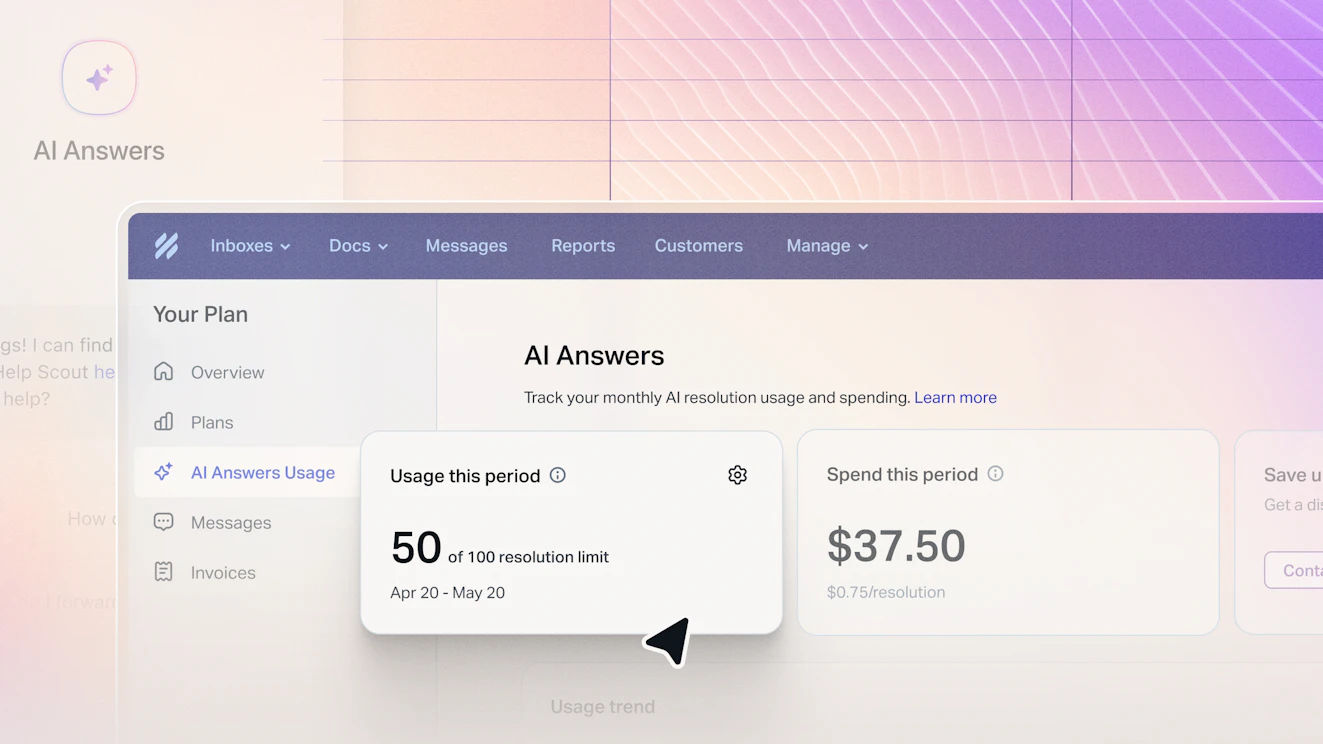
If you’ve been following Help Scout for a while, you know we tend to be deliberate about how we introduce AI. That’s partly because we don’t just build these features, we use them too, and the same questions that come up for our customers tend to come up for us along the way.
When we started shaping AI Answers, one of those questions came up early: it wasn’t just about how well it worked, but how it should be measured. It needed to reflect something real, something tied to an outcome rather than just activity.
That’s what led us to resolutions. With AI Answers, you only pay for resolutions — when AI fully handles a customer’s question without any follow-up or human involvement. From there, the next question followed naturally. As those resolutions add up over time, how do we make sure it stays easy to follow?
A clearer view of your usage
AI Answers is designed to step in when your team doesn’t have to. A customer asks a question, your content already has the answer, and the conversation moves forward without creating more work. As those interactions add up, you need to understand exactly how it impacts your monthly bill.
The AI Answers Usage Dashboard brings that all into one place. You can see how many resolutions have been counted in the current period, how that compares to previous months, and how usage is trending over time.
How usage connects to spend

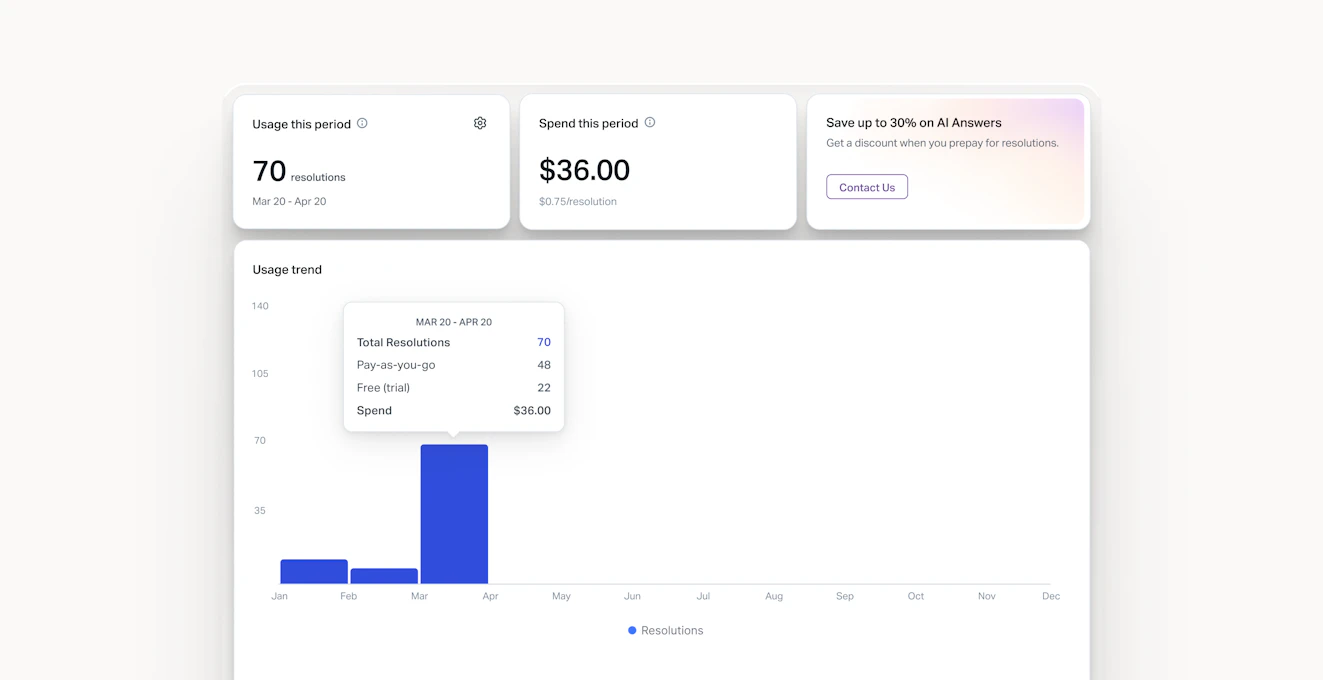
Not every resolution contributes to spend in the same way, and that’s now visible directly in the dashboard. You can see what’s covered by any trial access, what draws from prepaid credits, and what falls under pay-as-you-go. The total stays simple, with more visibility into how it’s made up.
Spend is also shown in context. The “Spend this period” view reflects only what’s billed on a pay-as-you-go basis, so it’s clear what you’re actually being charged for within that window, without needing to cross-reference anything else.
Staying in control as you scale
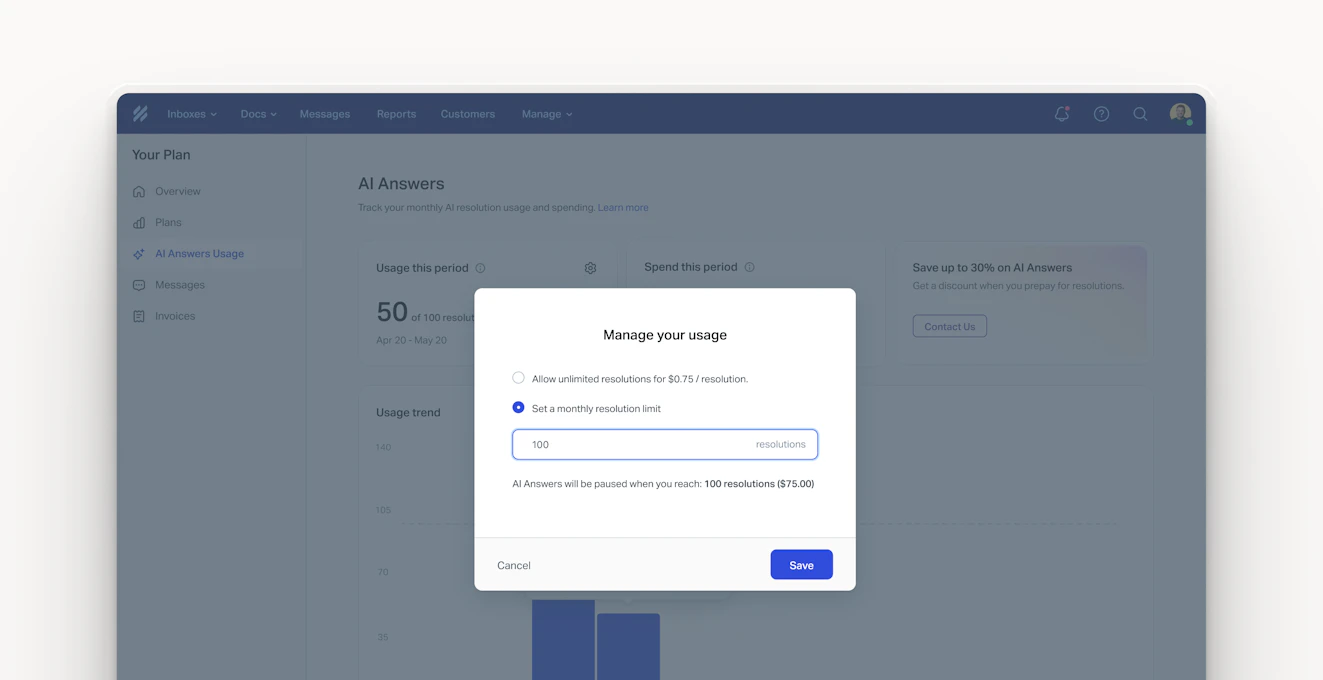
As usage grows, you can decide how you want to manage it. You can leave things open, or set a monthly limit based on what makes sense for your team. Progress toward that limit is visible throughout the billing period, and if it’s reached, AI Answers pauses.
If you’re using prepaid bundles, your remaining credits are tracked in the same place, so you can see what’s available and how it’s being used without switching views. All of this lives on the Plan page, replacing the previous spending limit view. It’s the same place you already go to manage billing, now with a clearer picture of how AI Answers fits into it.
AI Answers is designed to work in the background, but you shouldn’t have to wonder how it’s being used or what it costs. The Usage Dashboard brings that into view in a way that stays consistent over time, so you can make decisions with a clearer sense of how AI Answers fits into your support workflow.
Already using AI Answers in Help Scout? You can find your Usage Dashboard on your Plan page under AI Answers. New to Help Scout? Learn more about AI Answers.
Like what you see? Share with a friend.
Help Scout
Help Scout is the most intuitive customer support platform for growing businesses. It brings context, collaboration, and AI inside the flow of support so teams can deliver fast, exceptional support at scale.
Explore the platform for yourself with a free trial or live demo. Not ready for a trial? Follow us on LinkedIn to see what we’re up to!
Ready to go?

